Group Redirect v1.26.11.6
This release introduces a redesigned Group Redirect with improved performance, enhanced redirect rules, customizable landing pages, and new testing and configuration options. It also includes bug fixes and usability improvements.
New Features and Improvements
- Redesigned the Group Redirect interface with a cleaner, more modern layout, improved navigation, and easier access to configuration settings.
- Improved redirect performance for faster page navigation, especially for users returning to previously visited pages.
- Improved navigation within SharePoint, allowing users to move between pages without unnecessary full-page reloads.
- Improved compatibility with SharePoint site themes, including light and dark modes.
- Expanded redirect rules to support SharePoint groups, Microsoft 365 groups, Teams, security groups, guest users, user profile information (such as department, office, or country), and device types.
- Added advanced rule conditions using "Is," "Is Not," "And," and "Or" to create more flexible redirect rules.
- Added scheduling options to activate redirect rules during specific dates and times.
- Improved redirect rule management, allowing administrators to name, reorder, duplicate, and remove rules. Rules are evaluated in order, and the first matching rule is applied.
- Added customizable landing pages that can display a message before redirecting users or serve as informational pages without redirecting.
- Added configurable redirect countdowns, allowing users to wait before being redirected, proceed immediately, or stop the countdown.
- Added a rich-text editor to customize landing page content with formatted text, links, images, and background colors.
- Added a live preview to review landing page appearance before publishing changes.
- Added a Test feature to verify redirect rules for different users, devices, and dates without applying the changes.
- Added an option to prevent site owners and administrators from being redirected, enabled by default.
- Improved configuration validation to identify invalid URLs, incomplete rules, and potential redirect loops before saving.
- Added confirmation prompts to prevent accidental loss of unsaved configuration changes.
- Added optional redirect tracking to monitor how frequently each redirect rule is used.
- Added options to export, import, and copy redirect configurations between pages, making it easier to reuse existing settings.
- Improved accessibility with enhanced keyboard navigation and screen reader support.
- Updated the Group Redirect product icon for easier identification in the SharePoint App Catalog and web part toolbox.
Bug Fixes
- Fixed an issue where users could be incorrectly identified as site owners when multiple users accessed the same browser session.
- Fixed an issue where the Test feature incorrectly reported that users were not members of certain SharePoint groups.
- Fixed issues with SharePoint group membership checks that could cause users to be redirected incorrectly.
- Fixed an issue where redirect rules with empty destination URLs could cause pages to reload repeatedly.
- Fixed an issue where SharePoint group names containing special characters could prevent redirects from working correctly.
- Fixed navigation issues that could cause unnecessary page reloads or repeated redirects when using the browser's Back button.
Important Upgrade Notes
- Existing Group Redirect web parts and configurations are preserved when upgrading to the new version.
- Some advanced redirect rules require additional Microsoft Graph permissions to be approved by a SharePoint or Global Administrator.
- Site owners and site collection administrators are excluded from redirects by default. This behavior can be changed in the Options settings.
- Classic SharePoint pages remain supported, but some advanced redirect conditions are available only on modern SharePoint
Simple List Search v1.26.11.5
This release introduces a redesigned Simple List Search with an improved user experience, faster search performance, enhanced configuration options, and multilingual support.
New Features and Improvements
- Improved search and paging for large SharePoint lists and libraries.
- A cleaner, more organized layout with Basic, More Filters, and Advanced Search options.
- Improved selection of dates, people, and multiple values, with active filters clearly displayed.
- Improved usability across different screen sizes and devices.
- Cleaner layout with improved navigation and item actions.
- Click an item's name to view its properties in a side panel.
- Open documents in a new tab, a side panel, or choose how to open them.
- Better display of document status, including check-in and check-out information.
- New configurable option to open search results in a separate browser tab.
- Easily select and rearrange columns displayed in search results.
- Preview design changes while customizing the web part.
- Configure highlight colors to match your preferred appearance.
- Improved organization and helpful descriptions make configuration easier.
- Configure the display language independently for each web part.
- Built-in French, Spanish, German and English translations.
- Support for additional languages using Bamboo Translation Files.
- Download templates to create or customize translations.
- Better handling of SharePoint errors and more consistent search behavior.
Bamboo Tenant Manager v1.26.11.7
This release introduces a redesigned Bamboo Tenant Manager with an improved user experience, multilingual support, enhanced appearance customization, and improvements to Alert Plus configuration and management.
New Features and Improvements
- Redesigned the Tenant Manager interface with a cleaner, more modern layout, improved navigation, and a consistent appearance across all pages, forms, tables, and dialogs.
- Improved integration with SharePoint site themes, allowing Tenant Manager to use the site's primary colors for a more consistent appearance.
- Improved page layouts to better accommodate different screen sizes, longer text, and multiple languages.
- Enhanced analytics charts with additional colors for easier identification of products, improved data presentation, and clearer messages when no data is available.
- Added multilingual support with built-in translations for English, French, Spanish, and German. Dates and numbers are displayed according to the site's regional settings.
- Added language settings, allowing administrators to configure the display language based on each user's preference, the SharePoint site's language, or a fixed language.
- Added support for additional languages and customized translations using Bamboo Translation Files stored in a SharePoint library.
- Added a Languages tab for each product, allowing administrators to upload, download, replace, and delete translation files.
- Added downloadable translation templates to help administrators create and customize translations for additional languages.
- Added Look & Feel settings, allowing administrators to customize the colors of navigation, buttons, forms, tables, and other interface elements.
- Added a live preview of appearance changes, allowing administrators to review their customizations before saving them.
- Added support for custom CSS to provide additional flexibility in customizing the Tenant Manager interface.
- Updated the Tenant Manager product icon and description for easier identification in the SharePoint App Catalog and web part toolbox.
- Improved Alert Plus configuration to display previously saved settings for customers hosting their own Alert Plus services.
- Improved the Alert Plus recipient permission setup instructions with clearer steps that automatically adjust based on the current configuration.
- Improved Alert Plus configuration forms to prevent interruptions while loading and preserve information entered by administrators.
- Improved Alert Plus registration and update operations with clearer confirmation messages and better display of configuration errors.
Bug Fixes
- Fixed issues with the Overview page, including incorrect license expiration information, chart titles, and loading indicators.
- Fixed Analytics issues where site information was incomplete, refreshed data was not immediately displayed, or automatic refreshes occurred more than once.
- Fixed Licensing issues with the agreement checkbox and confirmation messages not displaying correctly.
- Fixed Settings issues to include the tenant name and date in exported file names and provide clearer error messages when required SharePoint lists are missing.
- Fixed display issues where table columns were cut off or text fields were not rendered correctly.
- Corrected spelling inconsistencies throughout the English interface.
Alert Plus Backend v1.26.11.04
We've deployed the main branch to Prod as version 1.26.11.04. This release includes the following bug fixes:
- Date tokens off by an hour around daylight saving time changes: Date tokens such as {Today+7} could be off by an hour when the date fell on the other side of a daylight saving time change, and in some time zones they resolved to an empty value. Tokens now always resolve to midnight in the alert's time zone.
- Duplicate emails for discussion replies: When someone replied to a discussion topic, AlertPlus also sent an alert email for the original topic. Now only the reply triggers an email.
- Alerts missing when a user's email differs from their sign-in name: Alerts were saved under the author's sign-in name (UPN) but looked up by email address, so users whose email didn't match their UPN couldn't see their alerts. These alerts now show up as expected.
|
|
FEATURED ARTICLE:
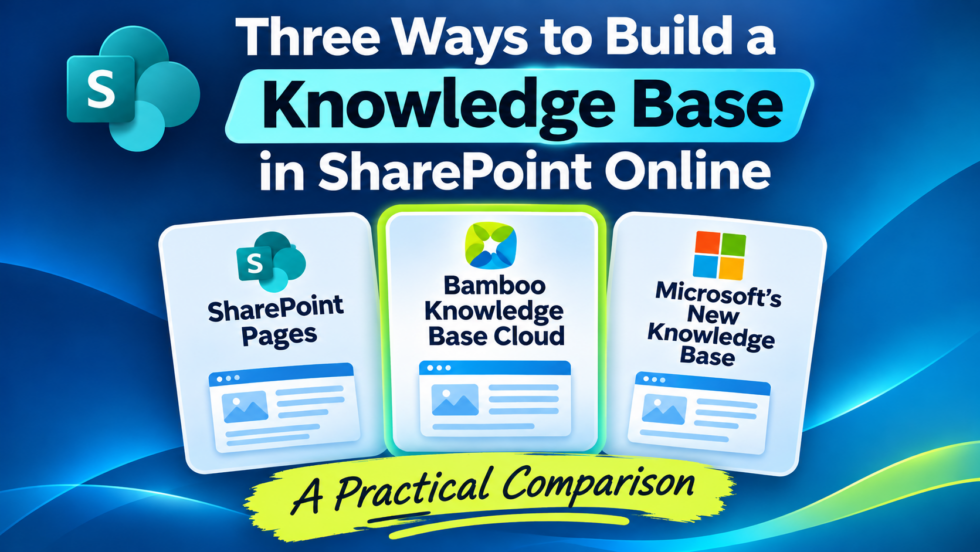
SharePoint Pages, Bamboo Knowledge Base Cloud, or Microsoft’s new Copilot-powered Knowledge Base?
By Rob Manfredi, President, Bamboo Solutions
|
SharePoint Pages, Bamboo Knowledge Base Cloud, or Microsoft’s new Copilot-powered Knowledge Base?
Microsoft MVP SharePoint Dougie explores all three approaches, comparing their features, costs, limitations, and the scenarios where each makes the most sense.
Building a Knowledge Base in SharePoint Online has never offered more options—or more decisions.
Organizations have traditionally relied on SharePoint Pages to organize and publish knowledge. Now, purpose-built solutions like Bamboo Knowledge Base Cloud offer advanced knowledge management and optional AI capabilities, while Microsoft is introducing an entirely new SharePoint Knowledge Base experience designed around Copilot.
But which approach is right for your organization?
|
|
FEATURED VIDEO:
Beyond 5,000 Items: Making Large SharePoint Lists and Libraries Easier to Use
By Rob Manfredi, President, Bamboo Solutions
|
|
|
Large SharePoint lists and document libraries can quickly become difficult to navigate, search, filter, and manage, especially when they exceed SharePoint’s 5,000-item list view threshold.
Watch this webinar for a practical webinar focused on three affordable SharePoint Online products that make large lists and libraries easier for your users:
- Simple Search provides a focused, guided search experience that helps users find exactly what they need in large lists and document libraries.
- Tree View gives users a familiar, File Explorer-style way to navigate folders and content in large SharePoint document libraries.
- Data Viewer adds advanced filtering, sorting, and presentation options for large SharePoint data sets.
|
|
A Modern Knowledge Base for SharePoint Online
By Rob Manfredi, President, Bamboo Solutions
|
|
KB Cloud is here! Watch the webinar for a live demonstration of our newly released modern Knowledge Base for SharePoint Online.
We will begin with the complete Knowledge Base experience without AI—showing how organizations can create, organize, search, manage, and maintain trusted knowledge directly within their own SharePoint Online tenant. See the responsive user experience, article management, categories, authoring workflow, document import capabilities, and administrative controls included with the product.
|
Connect Your People: Org Chart Plus & Employee Directory Plus for SharePoint
By Rob Manfredi, President, Bamboo Solutions
|
|
|
Two must-haves to make your SharePoint portal more dynamic and informative.
Your portal should help employees understand who’s who, how teams fit together, and where to turn for help. Join us for a combined overview and live demonstration of Org Chart Plus and Employee Directory Plus, two Bamboo Solutions products that bring your organization’s people into focus.
See how surfacing reporting relationships, departments, employee details, and personal milestones can help new hires get oriented, strengthen connections across teams, and make everyday collaboration easier.
|
|
Looking for additional resources? We have you covered!
|
|
|
At Bamboo Solutions, we believe in not only providing the best SharePoint and Office 365 products but also having the documentation to back it all up. On our resource page, you'll find links to e-books, white papers, training materials, case studies, and more. Click the button below to go to our resources page.
|
|
Bamboo Webinars On Demand
By Kevin Townsend, Bamboo Solutions
|
|
|
Every month, we showcase our products, give you great tips, and show you how these products can be adapted and used for you and your team.
Check more webinars on our YouTube Channel by clicking the button below.
|
|
|
|
|